Safety Monitor
The Safety Monitor tab lets you connect and monitor compatible safety monitors. These devices report whether conditions are currently safe for imaging.
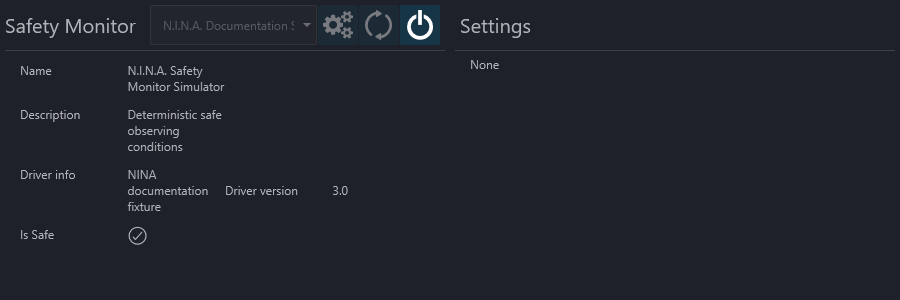
The header contains the usual device controls for connecting, disconnecting, refreshing the device list, and opening the setup dialog when one is available.
Device Information#
The left side of the page shows the information reported by the selected safety monitor:
- name
- description
- driver information
- driver version
- current Is Safe state
Settings#
The right side shows device-specific settings when the selected safety monitor provides them. If the selected safety monitor does not expose any extra settings, this area remains empty.
Imaging Workspace#
The Imaging tab can also show a compact Safety Monitor panel so you can keep the current safe state visible while imaging.